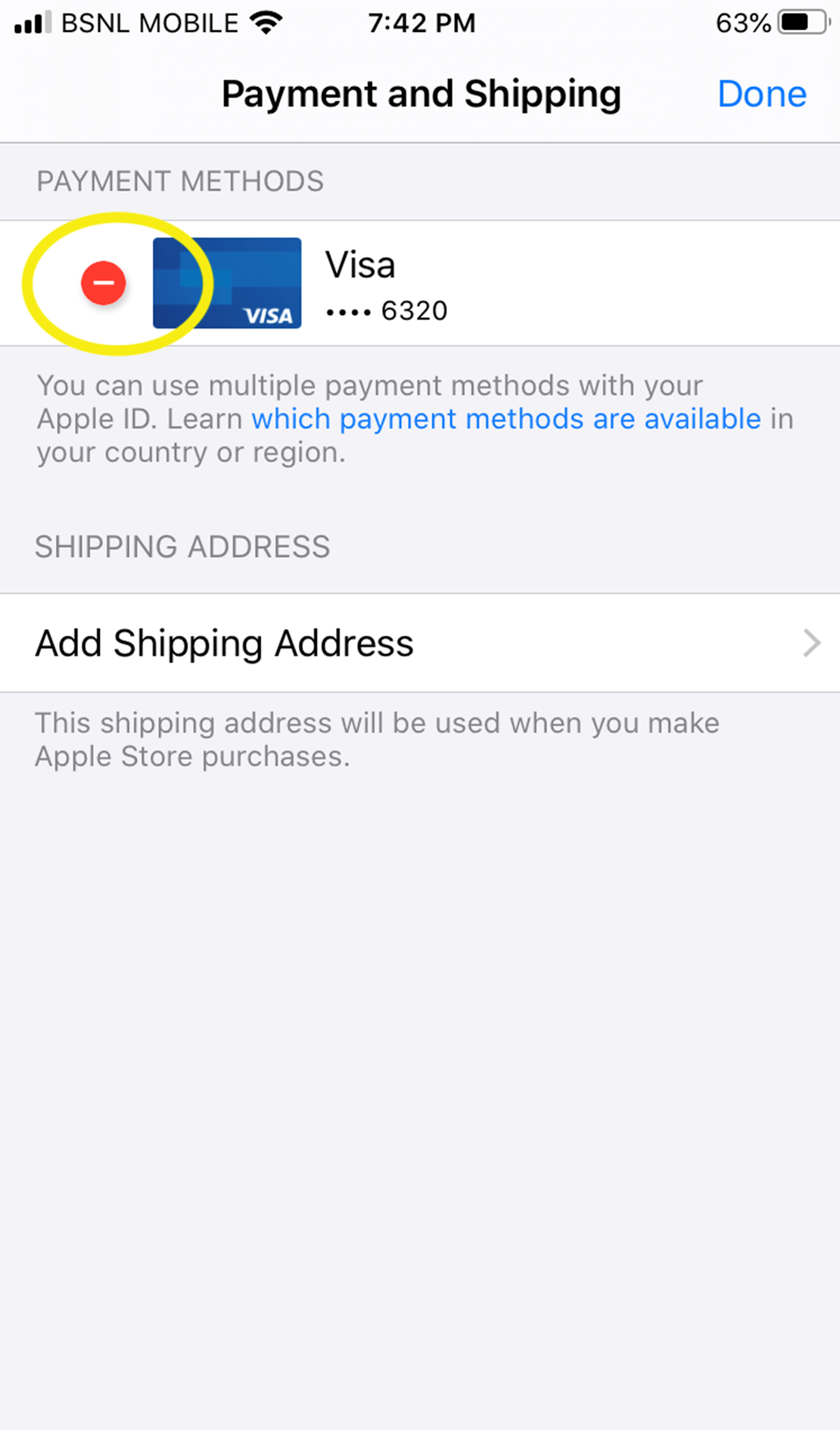
Do you want to change your Payment method for MyFamily App Store IAP Billing Subscription?
If you are currently having IAP Billing Subscription for MyFamily and want to change/add another subscription method in IAP, please follow the below mentioned instructions.
Instructions:Subscriptions may be cancelled due to insufficient funds or payment declines. To overcome this, please add an alternative payment method or setup your subscription again.
Please contact us at support@unfoldlabs.com, in case if you need anything.
Reference Screens:Step 1
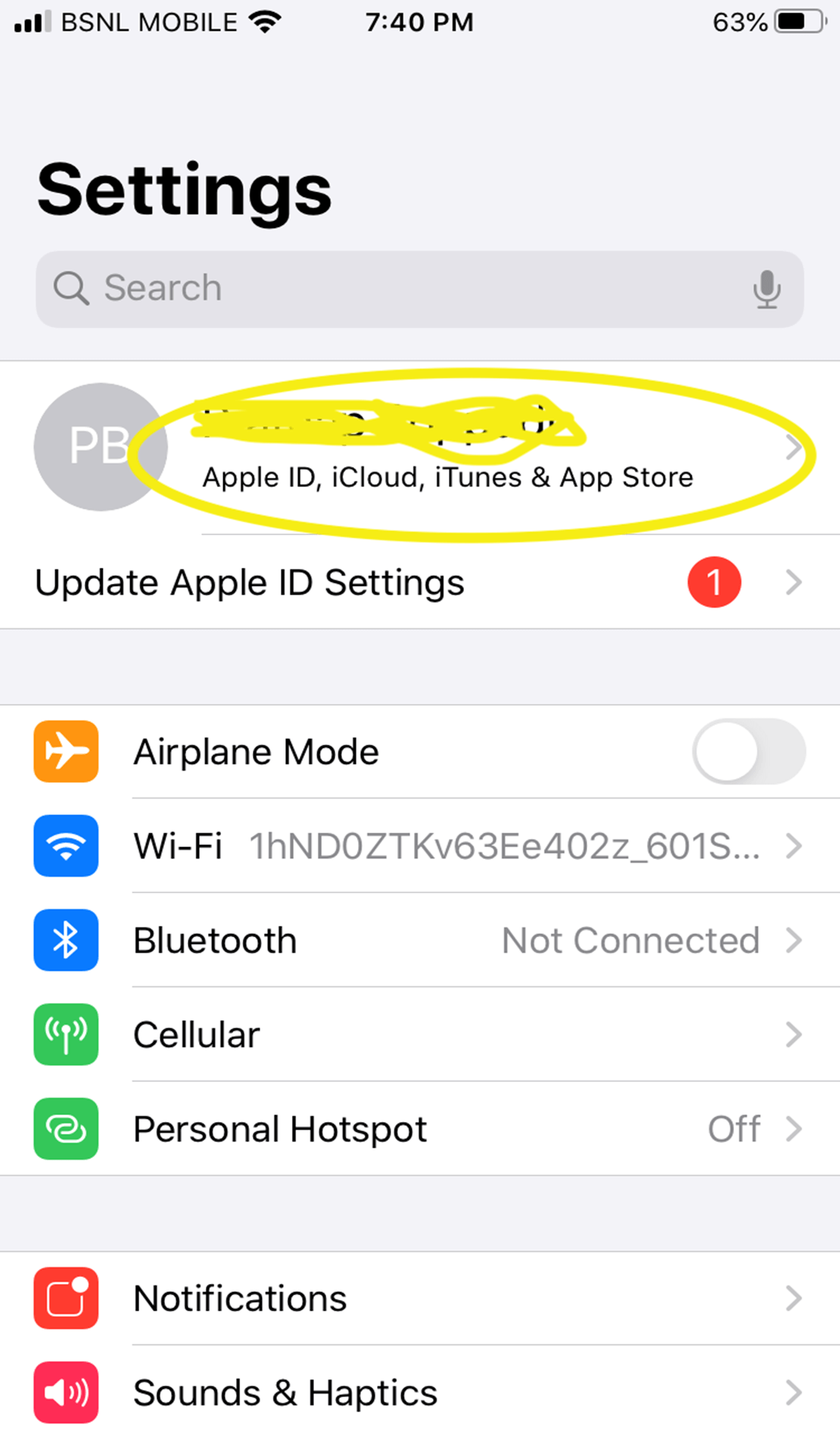
Step 2
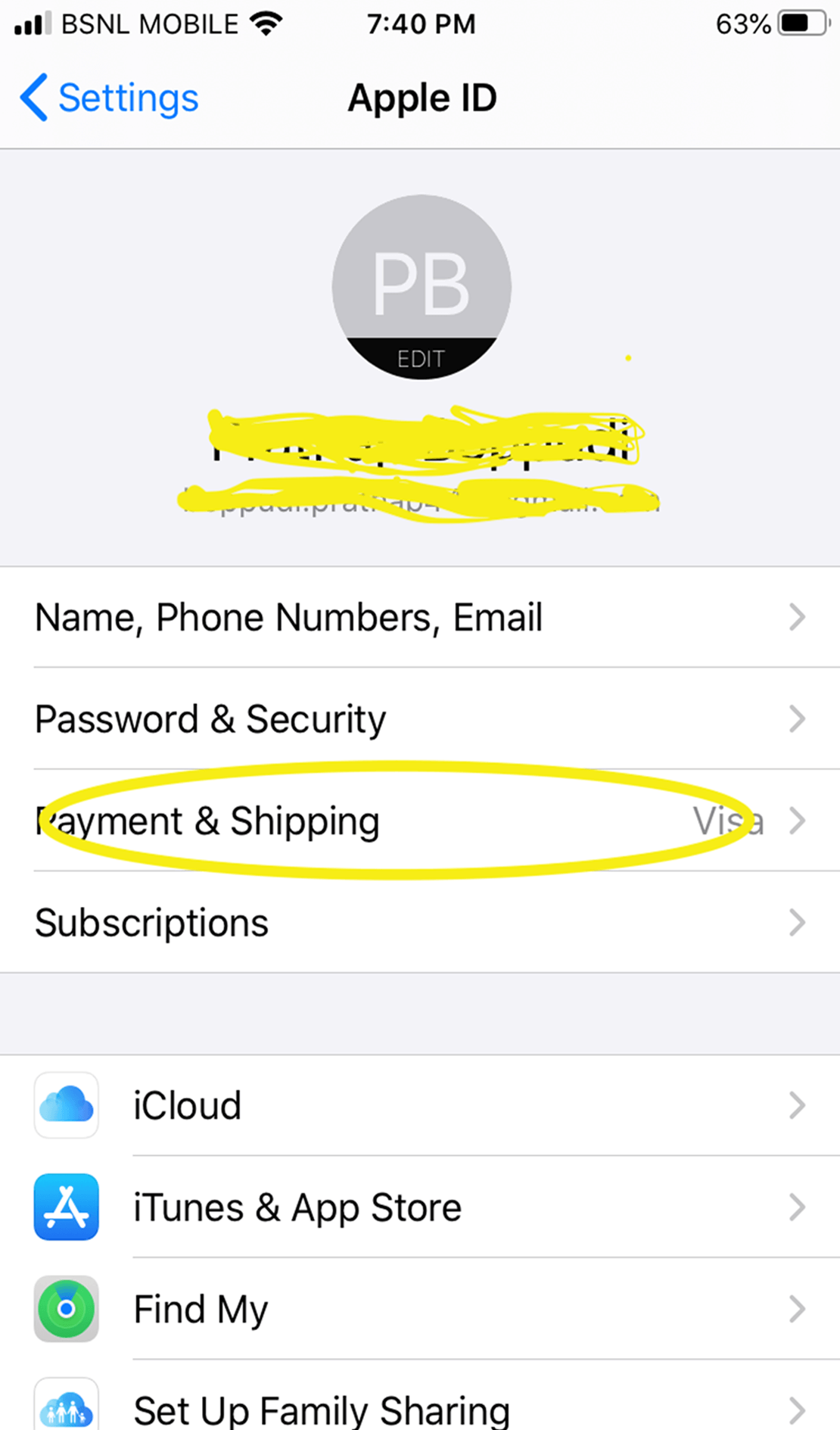
Step 3
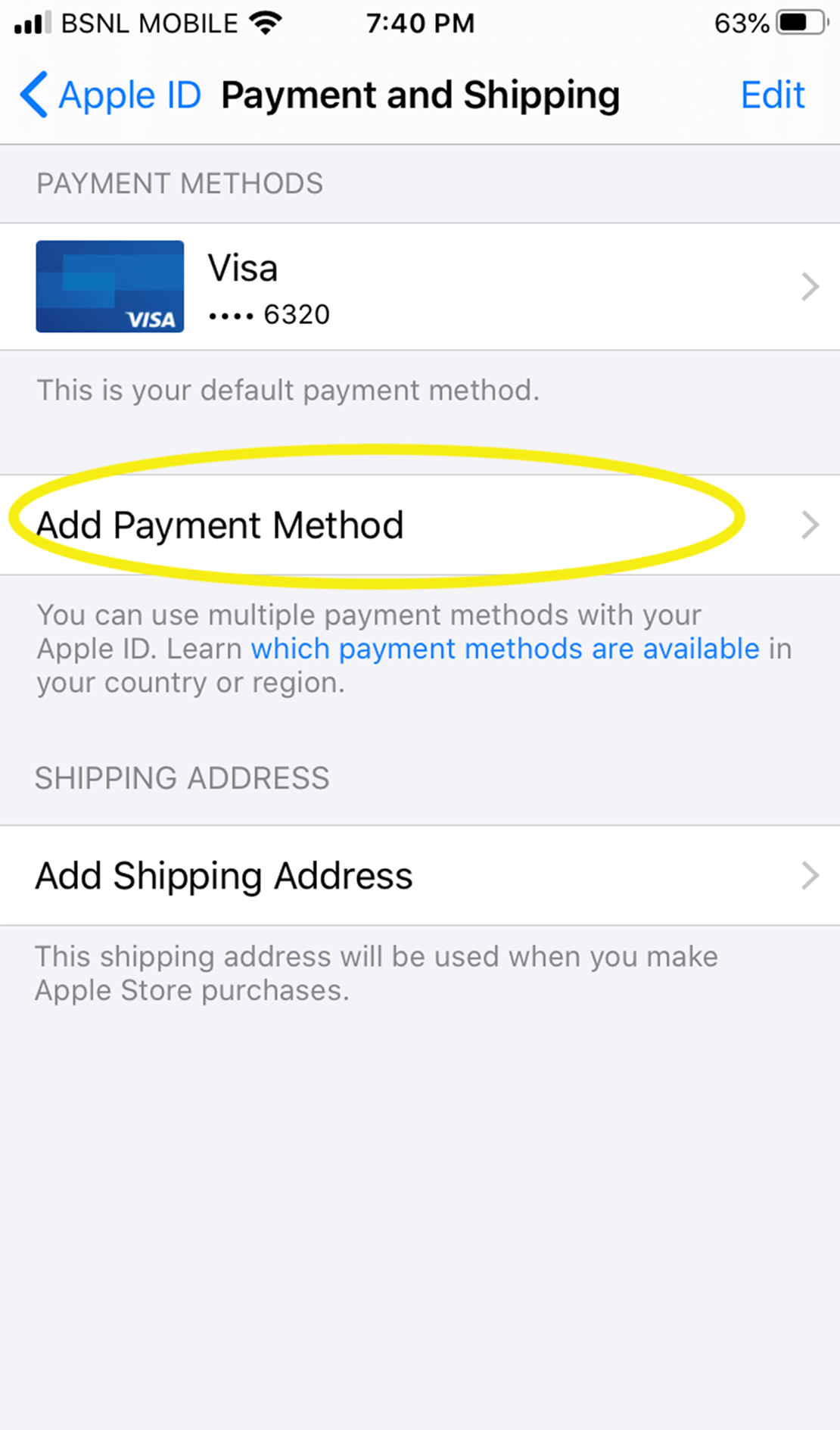
Step 4
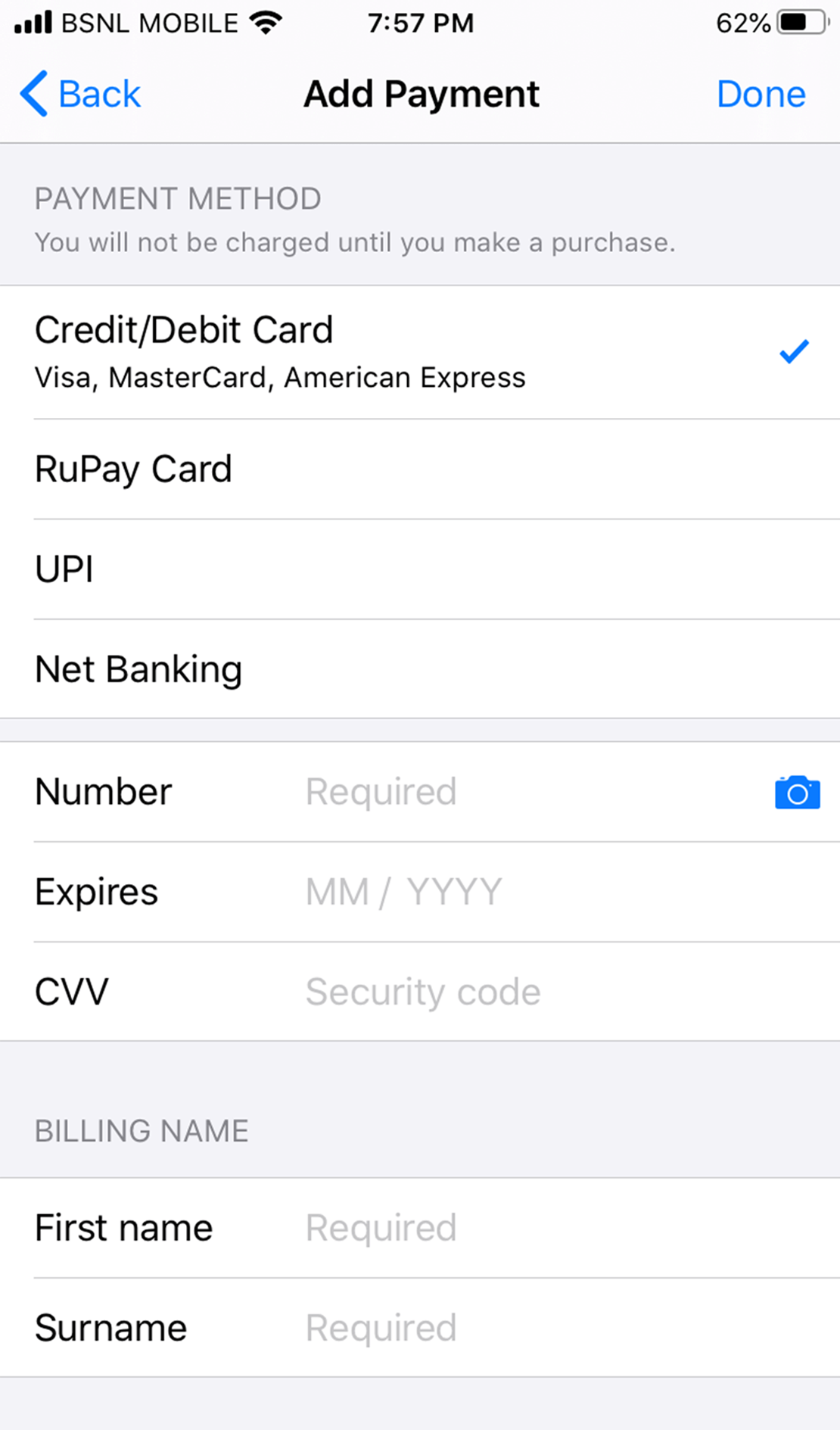
Step 5